Documentation Index
Fetch the complete documentation index at: https://auth0-dr-923.mintlify.app/llms.txt
Use this file to discover all available pages before exploring further.
Classe d’écran de connexion
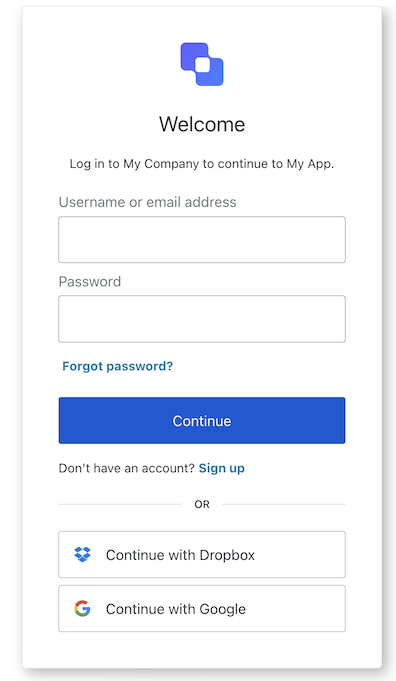
La classe d’écran de connexion fait partie du flux d’authentification Identifier First et recueille l’identifiant et le mot de passe de l’utilisateur. Selon la configuration de votre locataire, cet identifiant peut être un courriel, un numéro de téléphone ou un nom d’utilisateur
Importer et instancier la classe d’écran de connexion :
import Login from "@auth0/auth0-acul-js/login";
const loginManager = new Login();
// SDK Properties return a string, number or boolean
// ex. "login-id"
loginManager.screen.name;
// SDK Methods return an object or array
// ex. { signup: "/signup_url", reset_password: "/reset_password_url"}
loginManager.screenLinks();
Propriétés
Les propriétés de la classe d’écran de connexion sont :
image de marque
client
organization
invite
Écran
locataire
Transaction
untrustedData
utilisateur
interface branding {
settings: null | BrandingSettings;
themes: null | BrandingThemes;
}
interface BrandingSettings {
colors?: {
pageBackground?: string | {
angleDeg: number;
end: string;
start: string;
type: string;
};
primary?: string;
};
faviconUrl?: string;
font?: {url: string;};
logoUrl?: string;
}
interface BrandingThemes {
default: {
borders: Record<string, string | number | boolean>;
colors: Record<string, string>;
displayName: string;
fonts: Record<string, string | boolean | object>;
pageBackground: Record<string, string>;
widget: Record<string, string | number>;
};
}
interface client {
description: null | string;
id: string;
logoUrl: null | string;
name: string;
metadata: null | {[key: string]: string;};
}
interface organization {
branding: null | {
colors?: {
pageBackground?: string;
primary?: string;
};
logoUrl?: string;
};
displayName: null | string;
id: null | string;
metadata: null | {[key: string]: string;};
name: null | string;
usage: null | string;
}
interface prompt{
name: string;
}
interface screen {
captcha: null | CaptchaContext;
captchaImage: null | string;
captchaProvider: null | string;
captchaSiteKey: null | string;
data: null | {username?: string;};
isCaptchaAvailable: boolean;
links: null | Record<string, string>;
name: string;
resetPasswordLink: null | string;
signupLink: null | string;
texts: null | Record<string, string>;
}
interface CaptchaContext {
image?: string;
provider: string;
siteKey?: string;
}
interface tenant {
enabledFactors: null | string[];
enabledLocales: null | string[];
friendlyName: null | string;
name: null | string;
}
interface transaction {
allowedIdentifiers: null | IdentifierType[];
alternateConnections: null | (Connection | EnterpriseConnection)[];
connectionStrategy: null | string;
countryCode: null | string;
countryPrefix: null | string;
currentConnection: null | Connection;
errors: null | Error[];
hasErrors: boolean;
isForgotPasswordEnabled: boolean;
isPasskeyEnabled: boolean;
isSignupEnabled: boolean;
locale: string;
passwordPolicy(): null | PasswordPolicy;
state: string;
}
interface Connection {
metadata?: Record<string, string>;
name: string;
strategy: string;
}
interface EnterpriseConnection {
metadata?: Record<string, string>;
name: string;
options: {
displayName?: string;
iconUrl?: string;
showAsButton: boolean;
};
strategy: string;
}
interface PasswordPolicy {
minLength?: number;
policy:
| "low"
| "fair"
| "good"
| "excellent";
}
IdentifierType: "phone" | "email" | "username"
interface untrustedData {
authorizationParams: null | {
login_hint?: string;
screen_hint?: string;
ui_locales?: string;
[key: `ext-${string}`]: string;
};
submittedFormData: null | {
[key: string]:
| string
| number
| boolean
| undefined;
};
}
interface user {
appMetadata: null | {[key: string]: string;};
email: null | string;
enrolledDevices: null | ShortEntity<"device">[];
enrolledEmails: null | ShortEntity<"email">[];
enrolledFactors: null | string[];
enrolledPhoneNumbers: null | ShortEntity<"phoneNumber">[];
id: null | string;
organizations: null | {
branding: undefined | {logoUrl: undefined | string;};
displayName: undefined | string;
organizationId: undefined | string;
organizationName: undefined | string;
}[];
phoneNumber: null | string;
picture: null | string;
userMetadata: null | {[key: string]: string;};
username: null | string;
}
ShortEntity<Key>: {
id: number;
} & Record<Key, string>
Méthodes
Les méthodes de la classe d’écran de connexion sont :
login( options? )
Cette méthode authentifie l’utilisateur en se basant sur l’identifiant et le mot de passe fournis. Selon la configuration du serveur, il pourrait s’agir d’un courriel, d’un nom d’utilisateur ou d’un numéro de téléphone. Examinez les identifiants flexibles pour plus de détails.
loginManager.login({
username: "testUser",
password: "testPassword"
});
| Paramètre | Type | Requis | Description |
|---|
username | Chaîne | Oui | Identifiant de l’utilisateur. |
password | Chaîne | Oui | Mot de passe de l’utilisateur. |
captcha | Chaîne | Conditionnellement | Le code Captcha ou la réponse du fournisseur de Captcha. Cette propriété est requise si votre locataire Auth0 a activé la détection de robots. |
[key: string] | Chaîne | Numéro | Booléen | Non défini | Non | Données supplémentaires collectées auprès de l’utilisateur. Ces données sont accessibles dans le déclencheur d’action post-login. |
socialLogin( options? )
Cette méthode redirige l’utilisateur au fournisseur d’identité du réseau social ou de l’entreprise pour authentification. Examinez les fournisseurs d’identité sociaux et les fournisseurs d’identité de l’entreprise pour les détails.
import Login from "@auth0/auth0-acul-js/login";
const loginManager = new Login();
loginManager.federatedLogin({
connection: "google-oauth2"
});
| Paramètre | Type | Requis | Description |
|---|
connection | string | Oui | L’identifiant de la connexion. |
[key: string] | string | number | boolean | undefined | Non | Données supplémentaires collectées auprès de l’utilisateur. Ces données sont accessibles dans le déclencheur d’Action post-login. |
Classe d’écran de l’identifiant de la connexion
La classe d’écran de l’identifiant de la connexion fait partie du flux d’authentification Identifier First et recueille l’identifiant de l’utilisateur. Selon la configuration de votre locataire, cet identifiant peut être un courriel, un numéro de téléphone ou un nom d’utilisateur.
Importer et instancier la classe d’écran de l’identifiant de la connexion :
import LoginId from '@auth0/auth0-acul-js/login-id';
const loginIdManager = new LoginId();
// SDK Properties return a string, number or boolean
// ex. "login-id"
loginIdManager.screen.name;
// SDK Methods return an object or array
// ex. { signup: "/signup_url", reset_password: "/reset_password_url"}
loginIdManager.screenLinks();
Propriétés
Les propriétés de la classe d’écran de l’identifiant de la connexion sont :
image de marque
client
organization
invite
Écran
locataire
Transaction
untrustedData
user
interface branding {
settings: null | BrandingSettings;
themes: null | BrandingThemes;
}
interface BrandingSettings {
colors?: {
pageBackground?: string | {
angleDeg: number;
end: string;
start: string;
type: string;
};
primary?: string;
};
faviconUrl?: string;
font?: {url: string;};
logoUrl?: string;
}
interface BrandingThemes {
default: {
borders: Record<string, string | number | boolean>;
colors: Record<string, string>;
displayName: string;
fonts: Record<string, string | boolean | object>;
pageBackground: Record<string, string>;
widget: Record<string, string | number>;
};
}
interface client {
description: null | string;
id: string;
logoUrl: null | string;
name: string;
metadata: null | {[key: string]: string;};
}
interface organization {
branding: null | {
colors?: {
pageBackground?: string;
primary?: string;
};
logoUrl?: string;
};
displayName: null | string;
id: null | string;
metadata: null | {[key: string]: string;};
name: null | string;
usage: null | string;
}
interface prompt{
name: string;
}
interface screen {
captcha: null | CaptchaContext;
captchaImage: null | string;
captchaProvider: null | string;
captchaSiteKey: null | string;
data:
|null
| Record<
string,
| string
| boolean
| PasskeyCreate
| string[]
| Record<string, string[]>
| PhonePrefix[],
>;
isCaptchaAvailable: boolean;
links: null | Record<string, string>;
name: string;
publicKey: null | { challenge: string };
resetPasswordLink: null | string;
signupLink: null | string;
texts: null | Record<string, string>;
}
interface CaptchaContext {
image?: string;
provider: string;
siteKey?: string;
}
interface PasskeyCreate {
public_key: {
authenticatorSelection: {
residentKey: string;
userVerification: string;
};
challenge: string;
pubKeyCredParams: [{ alg: number; type: string }];
rp: { id: string; name: string };
user: { displayName: string; id: string; name: string };
};
}
interface PhonePrefix {
country: string;
country_code: string;
phone_prefix: string;
}
interface tenant {
enabledFactors: null | string[];
enabledLocales: null | string[];
friendlyName: null | string;
name: null | string;
}
interface transaction {
allowedIdentifiers: null | IdentifierType[];
alternateConnections: null | (Connection | EnterpriseConnection)[];
connectionStrategy: null | string;
countryCode: null | string;
countryPrefix: null | string;
currentConnection: null | Connection;
errors: null | Error[];
hasErrors: boolean;
isForgotPasswordEnabled: boolean;
isPasskeyEnabled: boolean;
isSignupEnabled: boolean;
isUsernameRequired: boolean;
locale: string;
state: string;
usernamePolicy: null | UsernamePolicy;
}
interface Connection {
metadata?: Record<string, string>;
name: string;
strategy: string;
}
interface EnterpriseConnection {
metadata?: Record<string, string>;
name: string;
options: {
display_name?: string;
icon_url?: string;
show_as_button: boolean;
};
strategy: string;
}
interface UsernamePolicy {
allowedFormats: {
usernameInEmailFormat: boolean;
usernameInPhoneFormat: boolean;
};
maxLength: number;
minLength: number;
}
IdentifierType: "phone" | "email" | "username"
interface untrustedData {
authorizationParams: null | {
login_hint?: string;
screen_hint?: string;
ui_locales?: string;
[key: `ext-${string}`]: string;
};
submittedFormData: null | {
[key: string]:
| string
| number
| boolean
| undefined;
};
}
interface user {
appMetadata: null | {[key: string]: string;};
email: null | string;
enrolledDevices: null | ShortEntity<"device">[];
enrolledEmails: null | ShortEntity<"email">[];
enrolledFactors: null | string[];
enrolledPhoneNumbers: null | ShortEntity<"phoneNumber">[];
id: null | string;
organizations: null | {
branding: undefined | {logoUrl: undefined | string;};
displayName: undefined | string;
organizationId: undefined | string;
organizationName: undefined | string;
}[];
phoneNumber: null | string;
picture: null | string;
userMetadata: null | {[key: string]: string;};
username: null | string;
}
ShortEntity<Key>: {
id: number;
} & Record<Key, string>
Méthodes
Les méthodes de la classe d’écran de l’identifiant de la connexion sont :
login( options? )
Cette méthode dirige l’utilisateur à l’étape suivante où il peut saisir son mot de passe ou son code de mot de passe unique Selon la configuration du serveur, il pourrait s’agir d’un courriel, d’un nom d’utilisateur ou d’un numéro de téléphone. Examinez les identifiants flexibles pour plus de détails.
loginIdManager.login({
username: <identifierFieldValue>
});
| Paramètre | Type | Obligatoire | Description |
|---|
username | chaîne | Oui | L’identifiant de l’utilisateur. |
captcha | chaîne | Conditionnellement | Le code captcha ou la réponse du fournisseur captcha. Cette propriété est obligatoire si votre locataire Auth0 a activé la détection de robots. |
[key: string] | chaîne | nombre | booléen | non défini | Non | Données supplémentaires recueillies auprès de l’utilisateur. Les données sont accessibles dans le déclencheur d’action post-login. |
passkeyLogin( options? )
Cette méthode permet d’authentifier l’utilisateur à l’aide de la clé d’identification fournie et, en cas de succès, de le rediriger vers la redirect_url.
// This method does not support any parameters
loginIdManager.passkeyLogin();
socialLogin( options? )
Cette méthode redirige l’utilisateur au fournisseur d’identité du réseau social ou de l’entreprise pour authentification. Examinez les fournisseurs d’identité sociaux et les fournisseurs d’identité de l’entreprise pour les détails.
import LoginId from "@auth0/auth0-acul-js/login-id";
const loginIdManager = new LoginId();
// Check if alternateConnections is available and has at least one item
if (!loginIdManager.transaction.alternateConnections) {
console.error('No alternate connections available.');
}
// Select the first available connection (users can select any available connection)
const selectedConnection = alternateConnections[0];
// Log the chosen connection for debugging or informational purposes
console.log(`Selected connection: ${selectedConnection.name}`);
// Proceed with federated login using the selected connection
loginIdManager.federatedLogin({
connection: selectedConnection.name,
});
| Paramètre | Type | Requis | Description |
|---|
connection | string | Oui | L’identifiant de la connexion. |
[key: string] | string | number | boolean | undefined | Non | Données supplémentaires collectées auprès de l’utilisateur. Ces données sont accessibles dans le déclencheur d’Action post-login. |
pickCountryCode( options? )
Cette méthode le redirige vers la liste des indicatifs de pays, où il peut mettre à jour le préfixe de l’indicatif de pays pour son numéro de téléphone.
// This method does not support any parameters
loginIdManager.pickCountryCode();
Classe d’écran de connexion par mot de passe
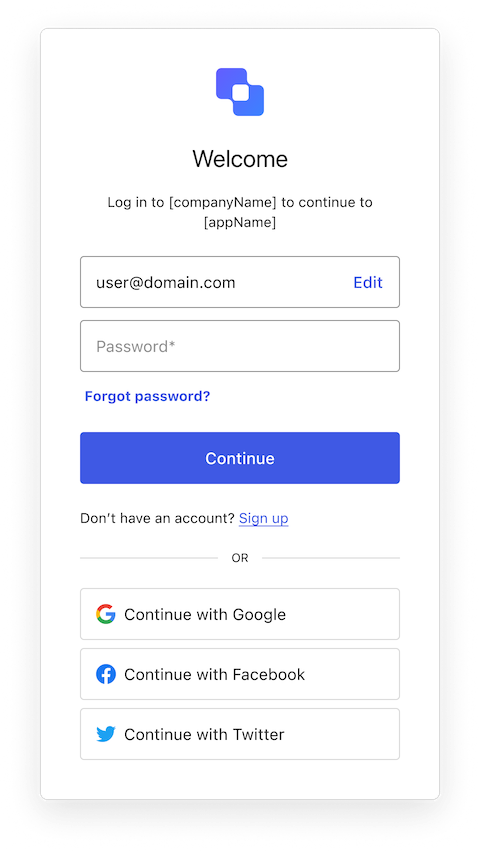
La classe d’écran de connexion par mot de passe fait partie du flux d’authentification Identifier First et recueille le mot de passe de l’utilisateur.
Importer et instancier la classe d’écran de connexion par mot de passe
import LoginPassword from "@auth0/auth0-acul-js/login-password";
const loginPasswordManager = new LoginPassword();
// SDK Properties return a string, number or boolean
// ex. "login-password"
loginPasswordManager.screen.name;
// SDK Methods return an object or array
// ex. { signup: "/signup_url", reset_password: "/reset_password_url"}
loginPasswordManager.screenLinks();
Propriétés
Les propriétés de la classe d’écran de connexion par mot de passe sont :
image de marque
client
organisation
invite
Écran
locataire
Transaction
untrustedData
utilisateur
interface branding {
settings: null | BrandingSettings;
themes: null | BrandingThemes;
}
interface BrandingSettings {
colors?: {
pageBackground?: string | {
angleDeg: number;
end: string;
start: string;
type: string;
};
primary?: string;
};
faviconUrl?: string;
font?: {url: string;};
logoUrl?: string;
}
interface BrandingThemes {
default: {
borders: Record<string, string | number | boolean>;
colors: Record<string, string>;
displayName: string;
fonts: Record<string, string | boolean | object>;
pageBackground: Record<string, string>;
widget: Record<string, string | number>;
};
}
interface client {
description: null | string;
id: string;
logoUrl: null | string;
name: string;
metadata: null | {[key: string]: string;};
}
interface organization {
branding: null | {
colors?: {
pageBackground?: string;
primary?: string;
};
logoUrl?: string;
};
displayName: null | string;
id: null | string;
metadata: null | {[key: string]: string;};
name: null | string;
usage: null | string;
}
interface prompt{
name: string;
}
interface screen {
captcha: null | CaptchaContext;
captchaImage: null | string;
captchaProvider: null | string;
captchaSiteKey: null | string;
data: null | { username: string; };
editIdentifierLink: null | string;
isCaptchaAvailable: boolean;
links: null | Record<string, string>;
name: string;
resetPasswordLink: null | string;
signupLink: null | string;
texts: null | Record<string, string>;
}
interface CaptchaContext {
image?: string;
provider: string;
siteKey?: string;
}
interface tenant {
enabledFactors: null | string[];
enabledLocales: null | string[];
friendlyName: null | string;
name: null | string;
}
interface transaction {
alternateConnections: null | (Connection | EnterpriseConnection)[];
connectionStrategy: null | string;
countryCode: null | string;
countryPrefix: null | string;
currentConnection: null | Connection;
errors: null | Error[];
hasErrors: boolean;
isForgotPasswordEnabled: boolean;
isPasskeyEnabled: boolean;
isSignupEnabled: boolean;
locale: string;
state: string;
getAllowedIdentifiers(): null | ("email" | "username" | "phone")[];
getPasswordPolicy(): null | PasswordPolicy;
getUsernamePolicy(): null | UsernamePolicy;
}
interface Connection {
metadata?: Record<string, string>;
name: string;
strategy: string;
}
interface EnterpriseConnection {
metadata?: Record<string, string>;
name: string;
options: {
displayName?: string;
iconURL?: string;
showAsButton: boolean;
};
strategy: string;
}
interface PasswordPolicy {
minLength?: number;
policy:
| "low"
| "fair"
| "good"
| "excellent";
}
interface UsernamePolicy {
allowedFormats: {
usernameInEmailFormat: boolean;
usernameInPhoneFormat: boolean;
};
maxLength: number;
minLength: number;
}
interface untrustedData {
authorizationParams: null | {
login_hint?: string;
screen_hint?: string;
ui_locales?: string;
[key: `ext-${string}`]: string;
};
submittedFormData: null | {
[key: string]:
| string
| number
| boolean
| undefined;
};
}
interface user {
appMetadata: null | {[key: string]: string;};
email: null | string;
enrolledDevices: null | ShortEntity<"device">[];
enrolledEmails: null | ShortEntity<"email">[];
enrolledFactors: null | string[];
enrolledPhoneNumbers: null | ShortEntity<"phoneNumber">[];
id: null | string;
organizations: null | {
branding: undefined | {logoUrl: undefined | string;};
displayName: undefined | string;
organizationId: undefined | string;
organizationName: undefined | string;
}[];
phoneNumber: null | string;
picture: null | string;
userMetadata: null | {[key: string]: string;};
username: null | string;
}
ShortEntity<Key>: {
id: number;
} & Record<Key, string>
Méthodes
La méthode de la classe d’écran de connexion par mot de passe est :
login( options? )
Cette méthode authentifie l’utilisateur en se basant sur l’identifiant de l’étape précédente et le mot de passe fourni. Une fois authentifié, l’utilisateur est dirigé à la prochaine étape.
loginPasswordManager.login({
username: <usernameFieldValue>,
password: ********
});
| Paramètre | Type | Obligatoire | Description |
|---|
captcha | chaîne | Conditionnellement | Le code captcha ou la réponse du fournisseur captcha. Cette propriété est obligatoire si votre locataire Auth0 a activé la détection de robots. |
username | chaîne | Oui | L’identifiant de l’utilisateur. |
password | chaîne | Oui | Le mot de passe de l’utilisateur. |
[key: string] | chaîne | nombre | booléen | non défini | Non | Données supplémentaires recueillies auprès de l’utilisateur. Les données sont accessibles dans le déclencheur d’action post-login. |
Classe d’écran de connexion sans mot de passe par code envoyé par courriel
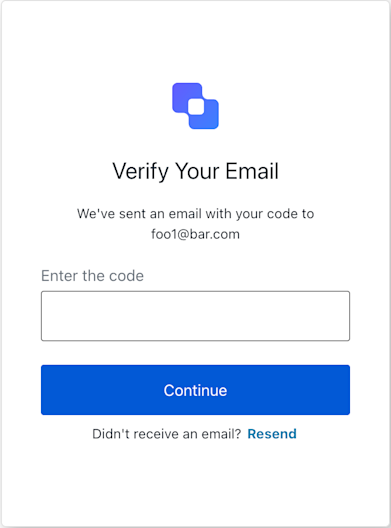
La classe d’écran de connexion sans mot de passe par code envoyé par courriel fait partie du flux d’authentification Identifier First. Il permet à l’utilisateur de s’authentifier à l’aide d’un mot de passe unique avec un code envoyé au courriel envoyé à l’étape précédente.
|
|---|
| Code courriel sans mot de passe de connexion |
import LoginPasswordlessEmailCode from '@auth0/auth0-acul-js/login-passwordless-email-code';
const loginPasswordlessEmailCodeManager = new LoginPasswordlessEmailCode();
// SDK Properties return a string, number or boolean
// ex. "login-passwordless-email-code"
loginPasswordlessEmailCodeManager.screen.name;
// SDK Methods return an object or array
// ex. { edit_identifier: "/edit_url" }
loginPasswordlessEmailCodeManager.screenLinks();
Propriétés
Les propriétés de classe d’écran de connexion sans mot de passe par code envoyé par courriel :
image de marque
client
organization
invite
Écran
locataire
Transaction
untrustedData
utilisateur
interface branding {
settings: null | BrandingSettings;
themes: null | BrandingThemes;
}
interface BrandingSettings {
colors?: {
pageBackground?: string | {
angleDeg: number;
end: string;
start: string;
type: string;
};
primary?: string;
};
faviconUrl?: string;
font?: {url: string;};
logoUrl?: string;
}
interface BrandingThemes {
default: {
borders: Record<string, string | number | boolean>;
colors: Record<string, string>;
displayName: string;
fonts: Record<string, string | boolean | object>;
pageBackground: Record<string, string>;
widget: Record<string, string | number>;
};
}
interface client {
description: null | string;
id: string;
logoUrl: null | string;
name: string;
metadata: null | {[key: string]: string;};
}
interface organization {
branding: null | {
colors?: {
pageBackground?: string;
primary?: string;
};
logoUrl?: string;
};
displayName: null | string;
id: null | string;
metadata: null | {[key: string]: string;};
name: null | string;
usage: null | string;
}
interface prompt{
name: string;
}
interface screen {
captcha: null | CaptchaContext;
captchaImage: null | string;
captchaProvider: null | string;
captchaSiteKey: null | string;
data: null | {
email?: string;
username?: string;
};
editIdentifierLink: null | string;
isCaptchaAvailable: boolean;
links: null | Record<string, string>;
name: string;
resetPasswordLink: null | string;
signupLink: null | string;
texts: null | Record<string, string>;
}
interface CaptchaContext {
image?: string;
provider: string;
siteKey?: string;
}
interface tenant {
enabledFactors: null | string[];
enabledLocales: null | string[];
friendlyName: null | string;
name: null | string;
}
interface transaction {
alternateConnections: null | (Connection | EnterpriseConnection)[];
connectionStrategy: null | string;
countryCode: null | string;
countryPrefix: null | string;
currentConnection: null | Connection;
errors: null | Error[];
hasErrors: boolean;
isSignupEnabled: null | boolean;
locale: string;
state: string;
}
interface Connection {
metadata?: Record<string, string>;
name: string;
strategy: string;
}
interface EnterpriseConnection {
metadata?: Record<string, string>;
name: string;
options: {
display_name?: string;
icon_url?: string;
show_as_button: boolean;
};
strategy: string;
}
interface untrustedData {
authorizationParams: null | {
login_hint?: string;
screen_hint?: string;
ui_locales?: string;
[key: `ext-${string}`]: string;
};
submittedFormData: null | {
[key: string]:
| string
| number
| boolean
| undefined;
};
}
interface user {
appMetadata: null | {[key: string]: string;};
email: null | string;
enrolledDevices: null | ShortEntity<"device">[];
enrolledEmails: null | ShortEntity<"email">[];
enrolledFactors: null | string[];
enrolledPhoneNumbers: null | ShortEntity<"phoneNumber">[];
id: null | string;
organizations: null | {
branding: undefined | {logoUrl: undefined | string;};
displayName: undefined | string;
organizationId: undefined | string;
organizationName: undefined | string;
}[];
phoneNumber: null | string;
picture: null | string;
userMetadata: null | {[key: string]: string;};
username: null | string;
}
ShortEntity<Key>: {
id: number;
} & Record<Key, string>
Méthodes
La méthode de classe d’écran de connexion sans mot de passe par code envoyé par courriel :
resendCode( options? )
Cette méthode envoie un nouveau code de mot de passe à usage unique à l’adresse courriel fournie à l’étape précédente.
// This method does not support any parameters
loginPasswordlessEmailCode.resendCode();
| Parameter | Type | Required | Description |
|---|
[key: string] | string | number | boolean | undefined | No | Optional data collected to user. |
SubmitCode( options? )
Cette méthode authentifie l’utilisateur en se basant sur l’adresse courriel et le code unique fournis.
loginPasswordlessEmailCode.submitCode({
email: <EmailFieldValue>;
code: <OtpCodeFieldValue>;
});
| Paramètre | Type | Requis | Description |
|---|
captcha | string | Sous conditions | Le code Captcha ou la réponse du fournisseur Captcha. Cette propriété est requise si votre locataire Auth0 a activé la détection de robots. |
code | N° de chaîne | Oui | Code OTP envoyé au courriel. |
[key: string] | Chaîne | Numéro | Booléen | Non défini | Non | Données supplémentaires collectées auprès de l’utilisateur. Ces données sont accessibles dans le déclencheur d’action post-login. |
Classe d’écran de connexion sans mot de passe avec code unique envoyé par SMS
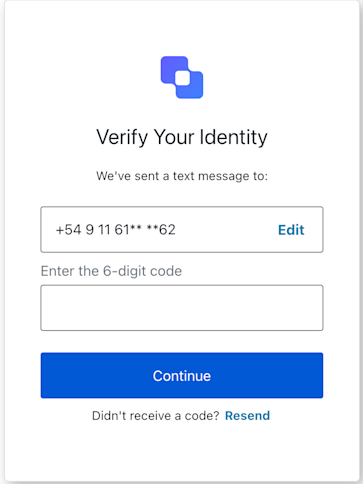
La classe d’écran de connexion sans mot de passe avec code unique envoyé par SMS fait partie du flux d’authentification Identifier First. Il permet à l’utilisateur de s’authentifier à l’aide d’un mot de passe unique avec un code envoyé au numéro de téléphone fourni à l’étape précédente.
Importer et instancier la classe d’écran de connexion sans mot de passe par code envoyé par courriel
import LoginPasswordlessSmsOtp from '@auth0/auth0-acul-js/login-passwordless-sms-otp';
const loginPasswordlessSmsOtpManager = new LoginPasswordlessSmsOtp();
// SDK Properties return a string, number or boolean
// ex. "login-passwordless-sms-otp"
loginPasswordlessSmsOtpManager.screen.name;
// SDK Methods return an object or array
// ex. { edit_identifier: "/edit_url" }
loginPasswordlessSmsOtpManager.screenLinks();
Propriétés
Les propriétés de classe d’écran de connexion sans mot de passe avec code unique envoyé par SMS sont :
image de marque
client
organization
invite
Écran
locataire
Transaction
untrustedData
utilisateur
interface branding {
settings: null | BrandingSettings;
themes: null | BrandingThemes;
}
interface BrandingSettings {
colors?: {
pageBackground?: string | {
angleDeg: number;
end: string;
start: string;
type: string;
};
primary?: string;
};
faviconUrl?: string;
font?: {url: string;};
logoUrl?: string;
}
interface BrandingThemes {
default: {
borders: Record<string, string | number | boolean>;
colors: Record<string, string>;
displayName: string;
fonts: Record<string, string | boolean | object>;
pageBackground: Record<string, string>;
widget: Record<string, string | number>;
};
}
interface client {
description: null | string;
id: string;
logoUrl: null | string;
name: string;
metadata: null | {[key: string]: string;};
}
interface organization {
branding: null | {
colors?: {
pageBackground?: string;
primary?: string;
};
logoUrl?: string;
};
displayName: null | string;
id: null | string;
metadata: null | {[key: string]: string;};
name: null | string;
usage: null | string;
}
interface prompt{
name: string;
}
interface screen {
backLink: null | string;
captcha: null | CaptchaContext;
captchaImage: null | string;
captchaProvider: null | string;
captchaSiteKey: null | string;
data: {username: string;};
isCaptchaAvailable: boolean;
links: null | Record<string, string>;
name: string;
resetPasswordLink: null | string;
signupLink: null | string;
texts: null | Record<string, string>;
}
interface CaptchaContext {
image?: string;
provider: string;
siteKey?: string;
}
interface tenant {
enabledFactors: null | string[];
enabledLocales: null | string[];
friendlyName: null | string;
name: null | string;
}
interface transaction {
alternateConnections: null | (Connection | EnterpriseConnection)[];
connectionStrategy: null | string;
countryCode: null | string;
countryPrefix: null | string;
currentConnection: null | Connection;
errors: null | Error[];
hasErrors: boolean;
isSignupEnabled: boolean;
locale: string;
state: string;
}
interface Connection {
metadata?: Record<string, string>;
name: string;
strategy: string;
}
interface EnterpriseConnection {
metadata?: Record<string, string>;
name: string;
options: {
display_name?: string;
icon_url?: string;
show_as_button: boolean;
};
strategy: string;
}
interface untrustedData {
authorizationParams: null | {
login_hint?: string;
screen_hint?: string;
ui_locales?: string;
[key: `ext-${string}`]: string;
};
submittedFormData: null | {
[key: string]:
| string
| number
| boolean
| undefined;
};
}
interface user {
appMetadata: null | {[key: string]: string;};
email: null | string;
enrolledDevices: null | ShortEntity<"device">[];
enrolledEmails: null | ShortEntity<"email">[];
enrolledFactors: null | string[];
enrolledPhoneNumbers: null | ShortEntity<"phoneNumber">[];
id: null | string;
organizations: null | {
branding: undefined | {logoUrl: undefined | string;};
displayName: undefined | string;
organizationId: undefined | string;
organizationName: undefined | string;
}[];
phoneNumber: null | string;
picture: null | string;
userMetadata: null | {[key: string]: string;};
username: null | string;
}
ShortEntity<Key>: {
id: number;
} & Record<Key, string>
Méthodes
La méthode de classe d’écran de connexion sans mot de passe avec code unique envoyé par SMS sont :
resendOTP( options? )
Cette méthode envoie un nouveau code de mot de passe à usage unique à l’adresse courriel fournie à l’étape précédente.
// This method does not support any parameters
loginPasswordlessSmsOtpManager.resendOTP()
| Parameter | Type | Required | Description |
|---|
[key: string] | string | number | boolean | undefined | No | Optional data collected to user. |
submitOTP( options? )
Cette méthode authentifie l’utilisateur en se basant sur le numéro de téléphone et le code unique fournis.
loginPasswordlessSmsOtpManager.submitOTP({
username: <PhoneFieldValue>;
otp: <OtpCodeFieldValue>;
})
| Paramètre | Type | Obligatoire | Description |
|---|
captcha | chaîne | Conditionnellement | Le code captcha ou la réponse du fournisseur captcha. Cette propriété est obligatoire si votre locataire Auth0 a activé la détection de robots. |
otp | chaîne | Oui | Le code OTP envoyé au numéro de téléphone. |
username | chaîne | Oui | Le numéro de téléphone de l’étape précédente. |
[key: string] | chaîne | nombre | booléen | non défini | Non | Données facultatives recueillies auprès de l’utilisateur. |